


Creative lens filter ideas work best when the effect supports the story of the session. Instead of adding a look at random, choose the filter according to the light, subject, and emotion you want to create. The five scenarios below give you a practical starting point for concerts, weddings, street photography, golden hour, and creative portraits.
| Photo session | Recommended filter | Creative effect | Starting setup |
|---|---|---|---|
| Concerts and nightlife | Half Black Hole | Halos and energy around point lights | 35–50mm, f/1.8–f/2.8, 1/125s or faster |
| Weddings and romantic portraits | Split Geometric Light | Layered reflections and cinematic symmetry | 50–85mm, backlight, f/2–f/2.8 |
| Street and neon photography | Liner V2 | Directional light streaks | 24–50mm, f/2–f/4, rotate to align the streaks |
| Golden hour | The Midas Touch | Warm liquid glow and richer highlights | Backlight 15–30 minutes before sunset; expose for highlights |
| Creative portraits | The Hive | Kaleidoscopic repetition | 50–85mm, centered subject, simple background |
Live music gives you motion, color, and small but powerful light sources. The Half Black Hole can turn stage lights into a bold halo while keeping your performer recognizable. Start with one strong light behind or beside the artist, use a fast shutter speed to control movement, and shift your shooting angle until the halo supports the composition.
Quick setup: 35–50mm lens, f/1.8–f/2.8, 1/125s or faster, and one visible point light.
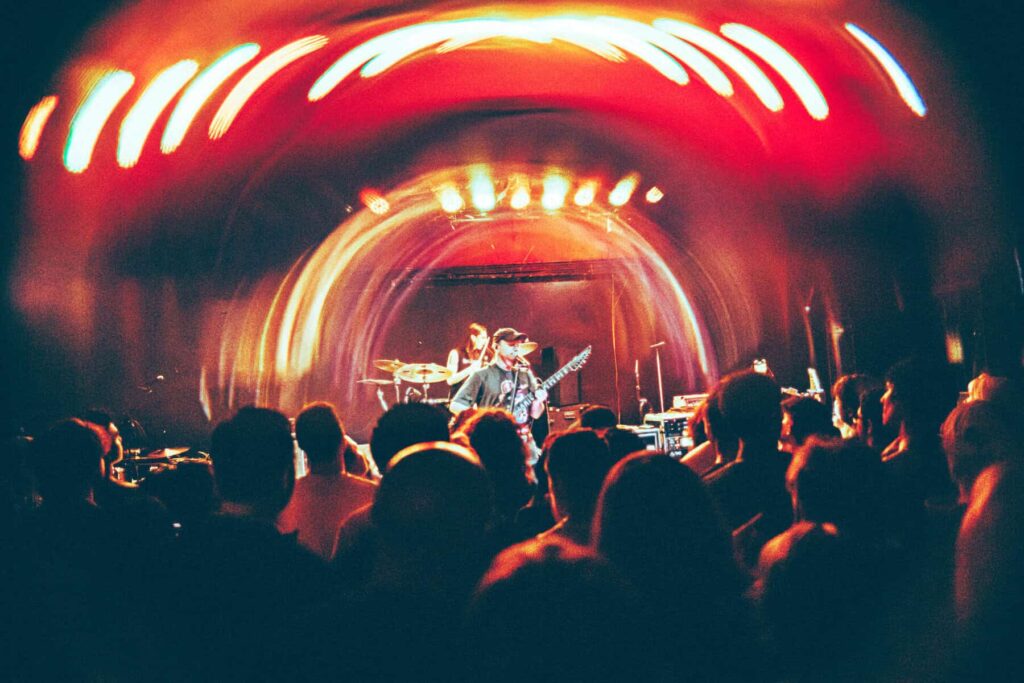
Explore the Half Black Hole filter →
For a first kiss, slow dance, or backlit portrait, the Split Geometric Light Filter creates layered reflections that feel cinematic without replacing the real moment. Keep the couple in a clean part of the frame, place a light source near the edge, and rotate the filter until the repeated elements frame rather than cover their faces.
Quick setup: 50–85mm lens, f/2–f/2.8, soft backlight, and a simple background.

Explore the Split Geometric Light filter →
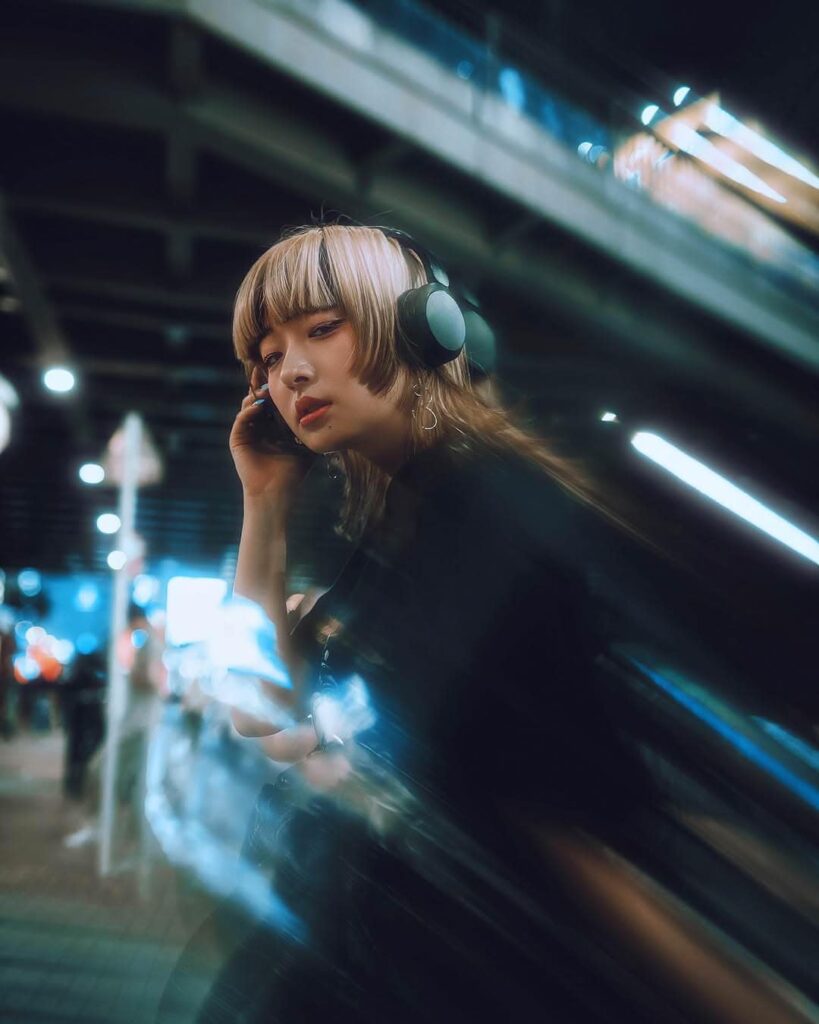
Busy city scenes often need a clear visual direction. The Liner V2 transforms practical lights, headlights, and neon signs into controlled streaks that lead toward your subject. Rotate the filter to test horizontal, vertical, and diagonal lines, then choose the direction that strengthens the frame.
Quick setup: 24–50mm lens, f/2–f/4, expose for neon highlights, and keep one main subject.
During the final minutes before sunset, the Midas Touch adds warm organic texture to highlights and helps the frame feel more atmospheric. Position the sun behind the subject or just outside the frame, protect highlight detail, and make small movements until the glow lands where you want it.
Quick setup: shoot 15–30 minutes before sunset, use backlight, and slightly underexpose if the brightest areas begin to clip.
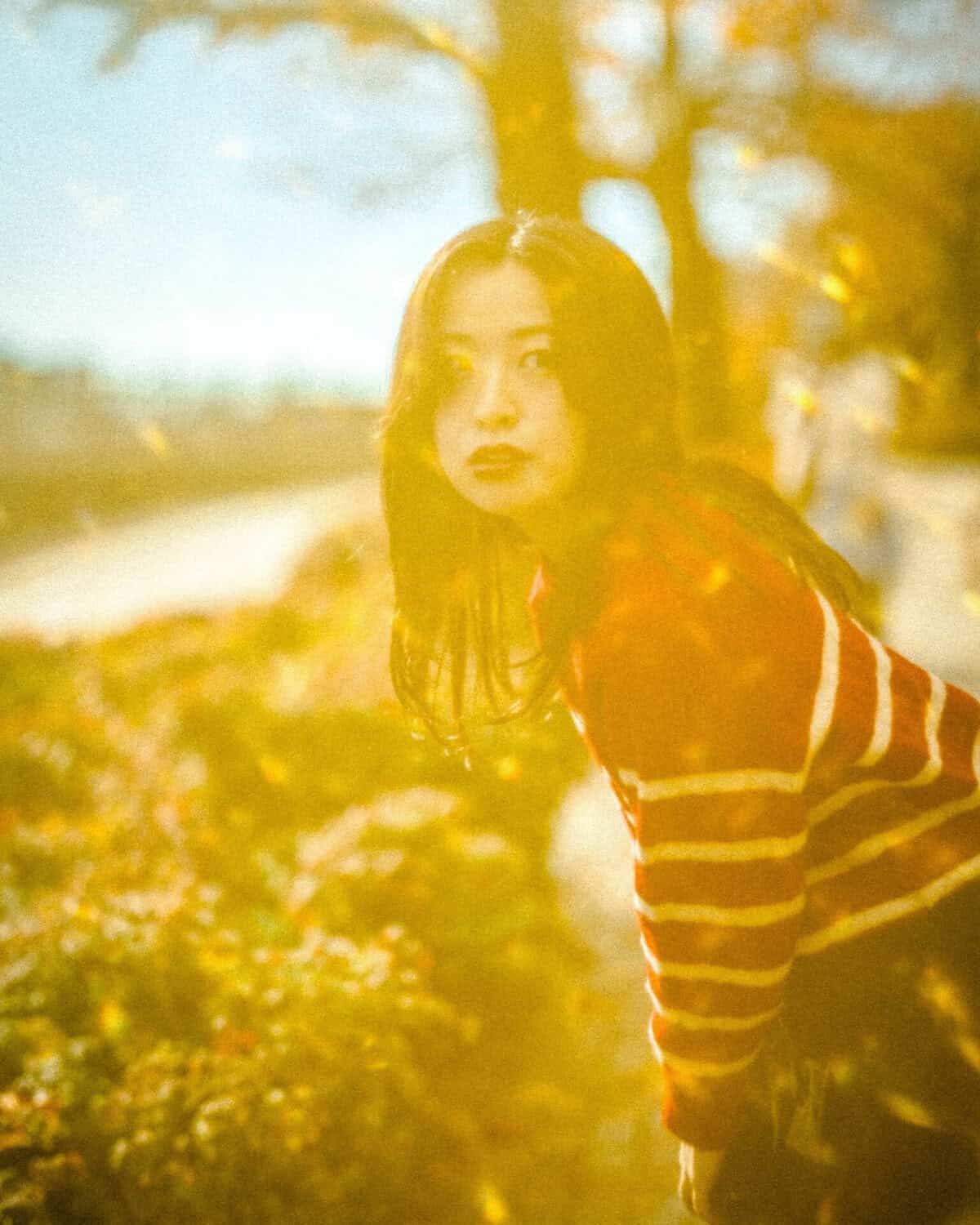
Explore The Midas Touch filter →
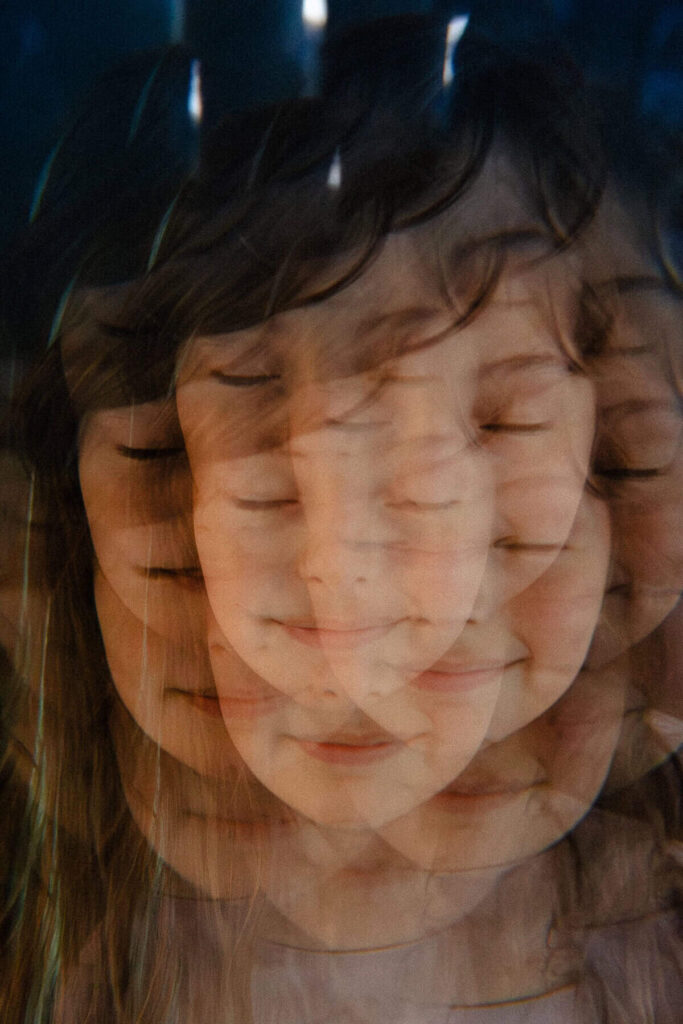
The Hive Filter repeats parts of the subject in a kaleidoscopic pattern. It works best with a centered face, a clean background, and enough distance between the model and the lights. Begin with a symmetrical composition, then move the subject off center for a more abstract result.
Quick setup: 50–85mm lens, centered subject, uncluttered background, and controlled highlights.
A physical filter changes real light before it reaches the sensor. That gives the photographer immediate feedback, makes the effect responsive to camera movement and lighting, and can reduce the amount of post-production needed. The strongest results come from treating the filter as part of the lighting and composition—not as a correction added after the photograph is made.
Choose the Half Black Hole when you want a concentrated halo around a light source, or the Liner V2 when you want directional streaks from multiple lights. Both benefit from visible point lights and careful highlight exposure.
Yes. Because the effect is optical, it appears live in the camera. Test camera movement, focus changes, and filter rotation before recording the final take so the effect remains controlled.
A filter can often be adapted to smaller lens threads with the correct step-up ring. Confirm the filter diameter and the lens thread size printed on the front of the lens before ordering an adapter.
On designs that allow rotation, yes. Rotation changes the direction or placement of streaks, reflections, and repeated elements. Make small adjustments while watching the effect through the viewfinder or monitor.
Start with one filter so you can understand its effect. Stacking can create more complex results, but it may also add flare, reduce contrast, or cause vignetting on wider lenses.
Ready to choose your next in-camera effect? Explore the complete SZ Filters collection →